How to Create and Share a Skill Collection on Agent Skills Finder
Learn how to create a collection, add skills, write workflow notes, and share the finished result.
 Agent Skills Finder Team
This guide shows how to build a skill collection on Agent Skills Finder and share it with other people.
If you already use more than one skill for the same job, collections are the feature to learn next.
What a collection is
A collection is a group of skills for one workflow.
A good collection usually has three parts:
- a clear title and short description
- the skills used in the workflow
- workflow notes that explain how to use them together
Without the workflow notes, a collection is just a list. With them, it becomes something another person can actually follow.
Before you start
Make sure you have:
- an account
- one task or workflow in mind
- at least one skill you want to include
If you want to publish the collection later, it also helps to know who it is for and what problem it solves.
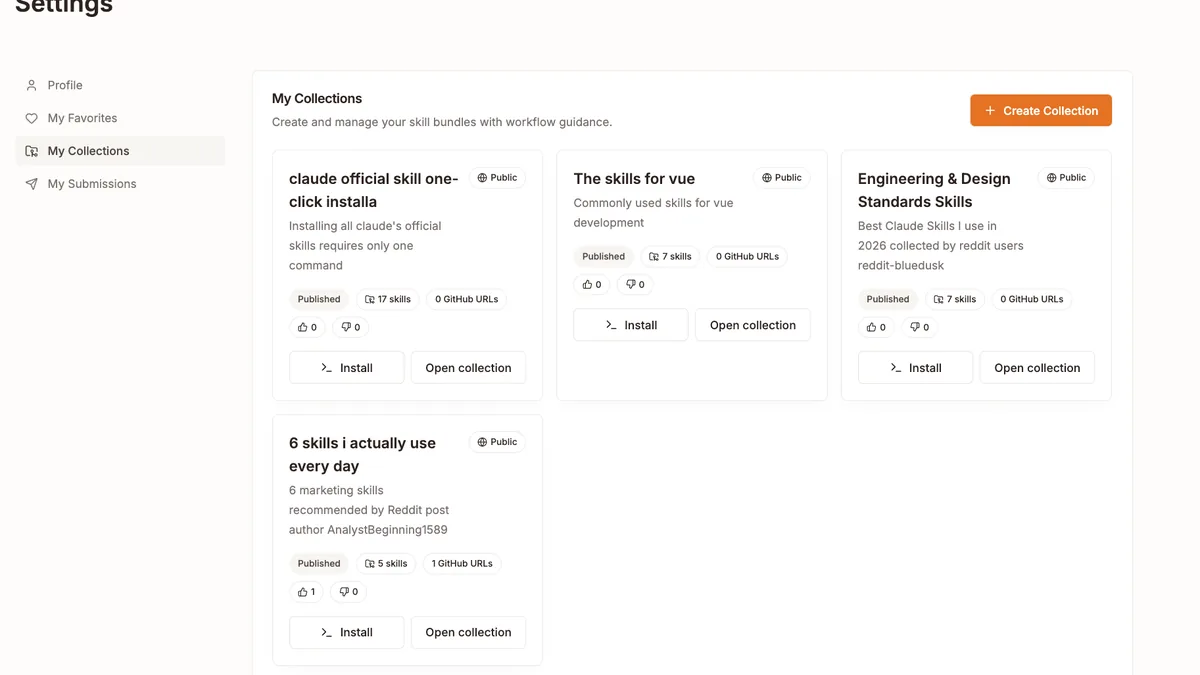
Step 1: Create the collection
You can create a collection from:
-
My Collectionsin your account -
the public
/collectionspage by clickingCreate My Collection -
Create a skill collection from the public collections page
When you create it, you will set:
- a title
- a short description
- visibility:
PrivateorPublic
Private is for your own use. Public is for collections you want to submit for review and share with others.
Step 2: Add skills
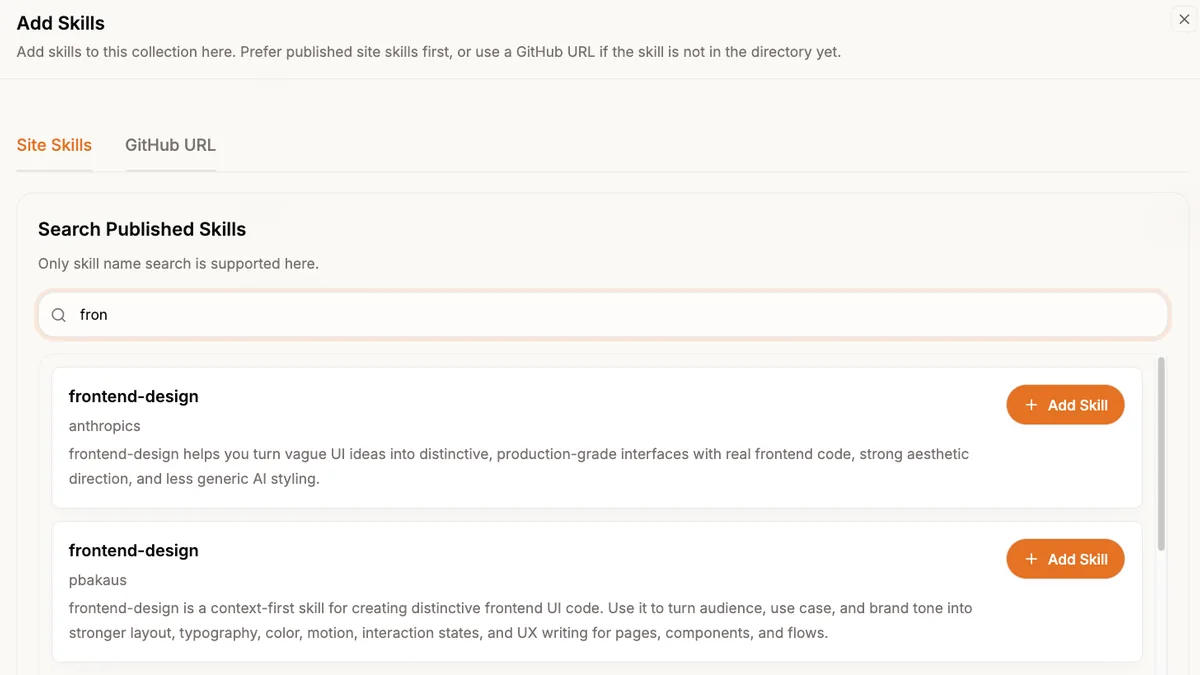
Once the collection exists, open it from My Collections. This is where you add the skill sources.
You can add skills in two ways.
Option A: Add a published site skill
Search the site directory and add a published skill directly.
This is the easiest path because the skill is already part of the directory.
Option B: Add a GitHub SKILL.md URL
If the skill has not been imported into the site yet, you can add one concrete GitHub SKILL.md URL.
The server validates the URL before saving it. That helps keep broken links out of the collection.
Step 3: Write the workflow notes
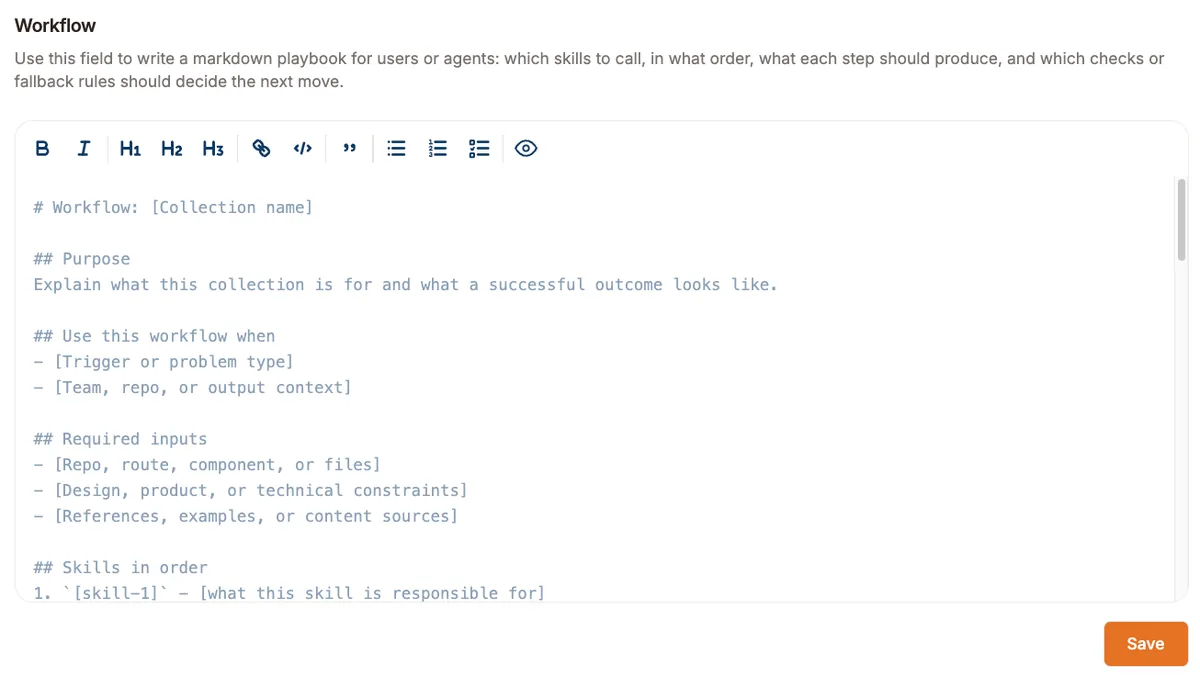
Every collection has a markdown workflow field. Use it to explain how the skills work together.
Keep this part simple. A useful workflow note usually answers:
- when to use this collection
- what input should be ready first
- which skill runs first
- what each step should produce
- when to stop or loop back
If someone else opens your collection later, this is the section that helps them understand it quickly.
Step 4: Decide whether it stays private or becomes public
You can keep the collection private if it is only for your own work.
If you want to share it, switch it to Public and submit it for review.
Public collections move through these states:
DraftPendingPublishedRejected
Once published, it can appear in the public collections directory.
Step 5: Share the collection
After publication, you can share the collection in several ways.
Share the public link
Use the Share action to copy the collection URL.
This is the easiest option if you want to send it to a teammate or include it in project docs.
Share to social platforms
Public collection pages also support quick share actions for:
- X
Copy the workflow to an agent
The How To Use section includes Copy to agent.
This is useful when the main thing you want to share is the workflow text itself.
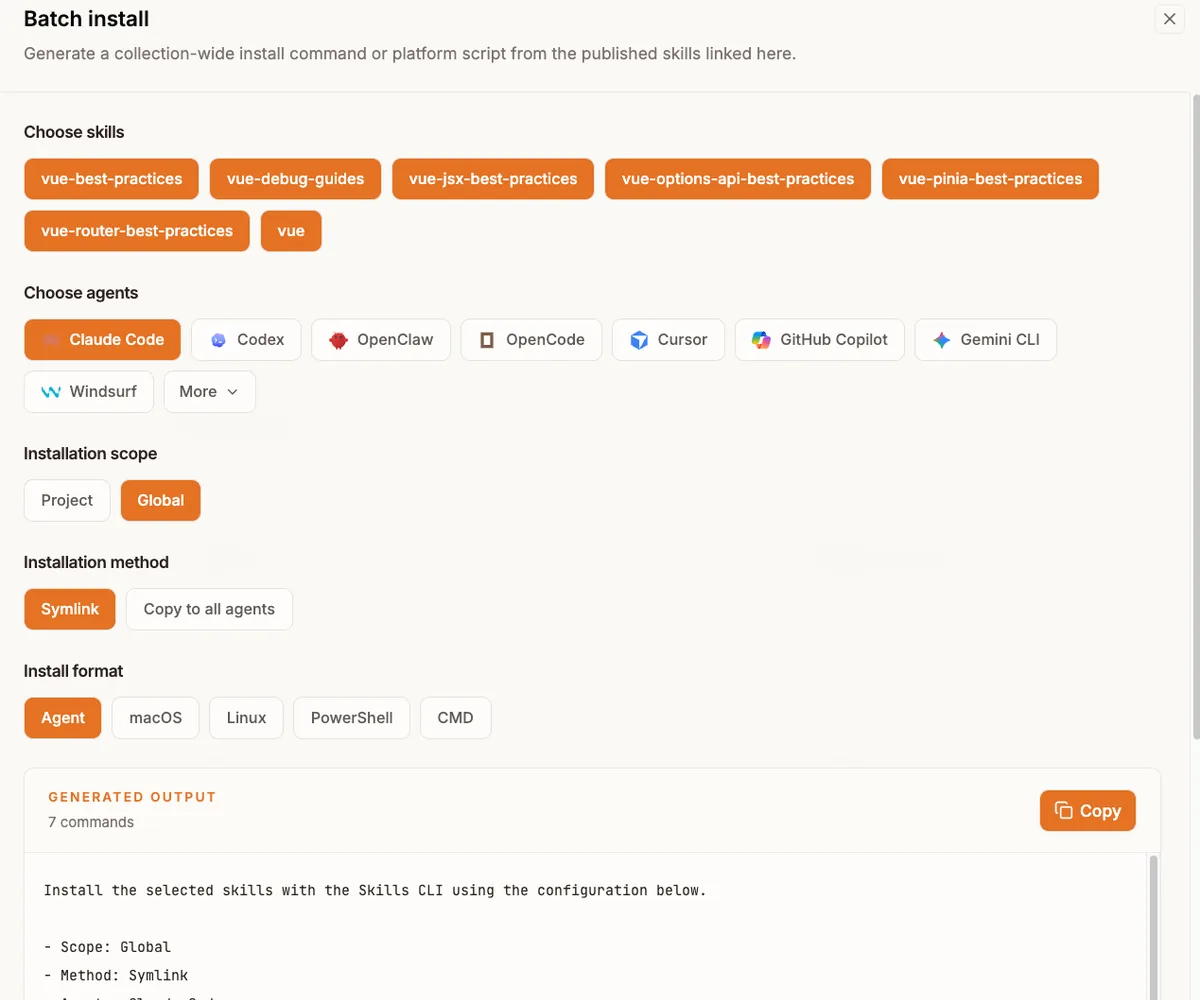
Step 6: Use the install tools
Collections are not only for reading. They also support installation.
The public INSTALL section can:
- generate install output for selected skills
- support batch selection
- generate output for different agents
- generate scripts for macOS, Linux, and Windows
This is the part that turns a collection into something reusable.
A simple way to make a good collection
If you are creating your first one, keep it small.
Start with:
- one clear task
- two or three skills
- short workflow notes
- a title that says exactly what the collection is for
That is enough for a useful first version.
What to do next
If you have not created one yet, pick a workflow you already repeat often and turn it into a small collection.
If you want examples first, browse the public collections page and then come back to build your own.